Six widgets put the parts of the app you use every day on your home screen. Prayers, qaḍāʾ and tasbih can be marked and counted from the widget itself, without opening the app.
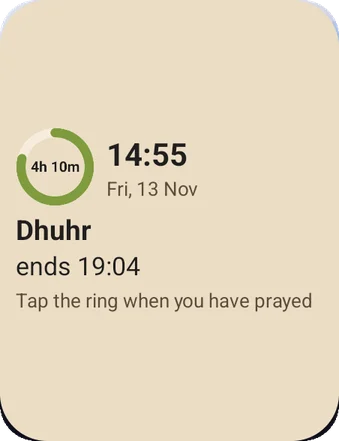
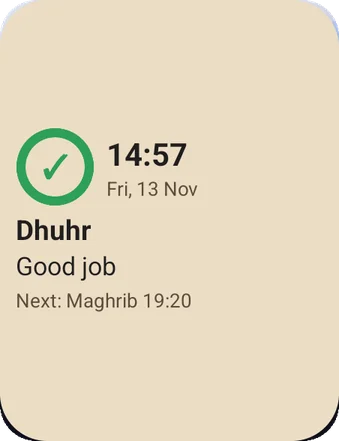
During a prayer's timeAfter you mark it
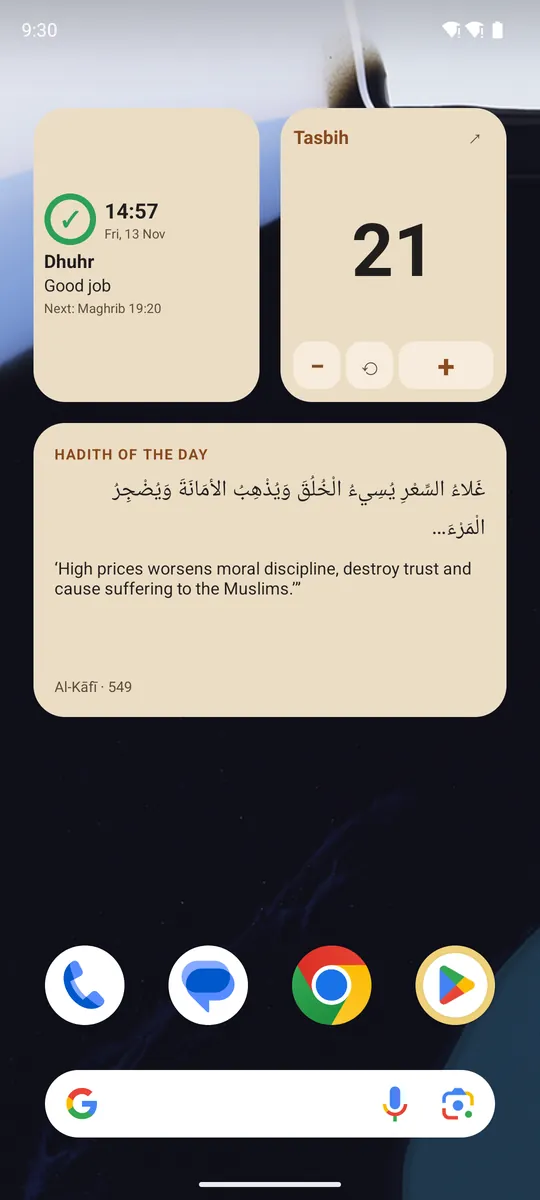
Next prayer 2 × 2
While a prayer's time is running, a ring counts down what is left of it, turning from green to orange to red. Outside any prayer's time, it shows the next prayer and when it starts.
Tap
Tap the ring when you have prayed, and it is marked.
Tap the rest to open today's prayer times.
Good for
Seeing at a glance how long is left before Dhuhr or Maghrib ends.
Marking a prayer the moment you finish, without opening anything.
A small widget beside your clock on the first home screen.
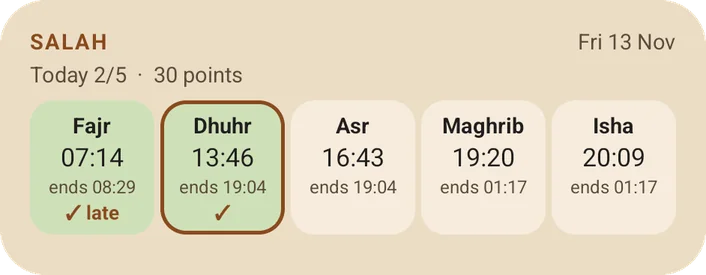
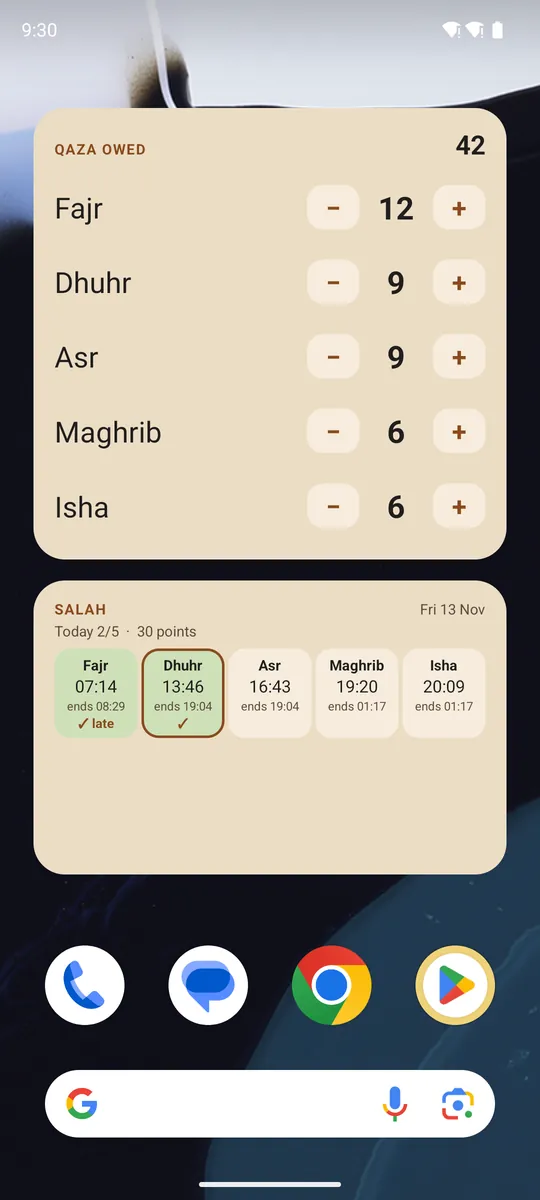
Salah 4 × 2
All five prayers with their start and end times, the current one outlined, which you have prayed, and today's score.
Tap
Tap a prayer to mark it prayed, or tap again to unmark it.
Tap the header to open the prayer tracker.
Good for
Keeping the whole day's prayers in view.
Catching up: marking a prayer you prayed earlier, which still counts.
Building a streak you can see every time you unlock the phone.
Hadith of the day 4 × 2
One narration a day, in Arabic and English, with its book and number.
Tap
Tap to open the narration, with its grading, chain and full text.
Good for
One saying a day without setting time aside for it.
A narration to think about, or to share with family.
Discovering books in the library you have not opened yet.
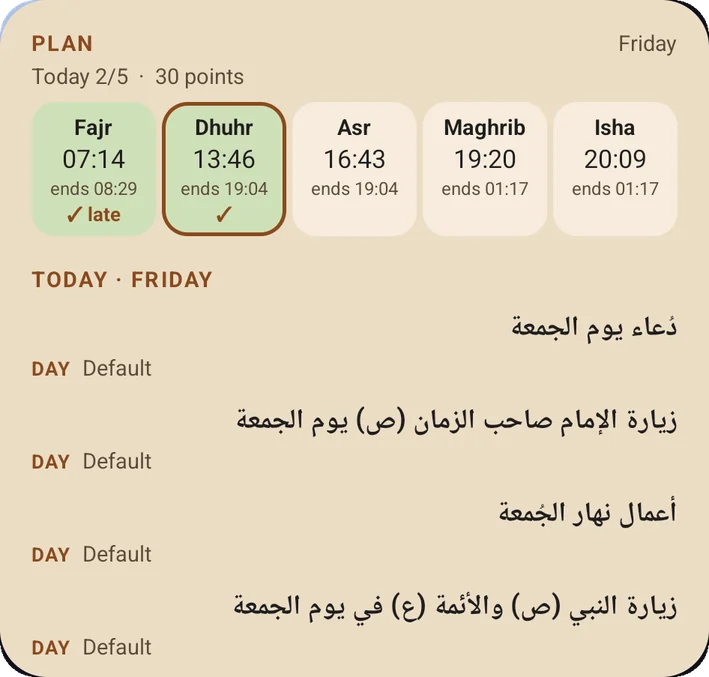
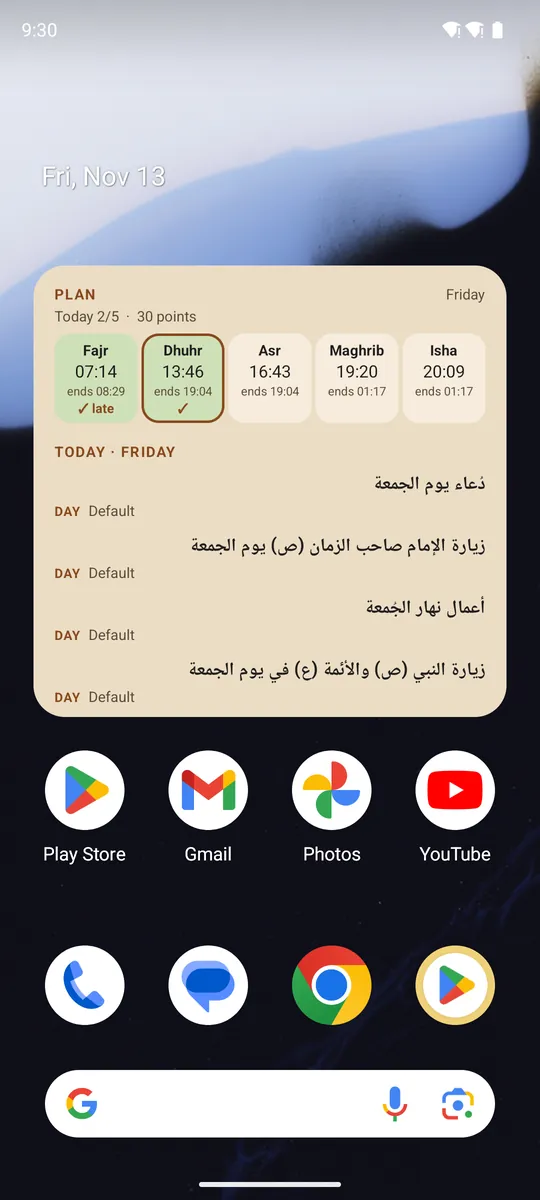
Plan 4 × 4
The week starting today: what to read each day and night (the book's own assignments and yours), with the five prayers and today's score on top.
Tap
Tap a dua, ziyāra or surah to open it.
Tap a prayer to mark it.
Tap the header to edit the plan.
Good for
Friday's duas and ziyārāt, listed on Friday, without looking them up.
Keeping a daily surah or dua you have set yourself.
Seeing prayers and reading together on one screen.
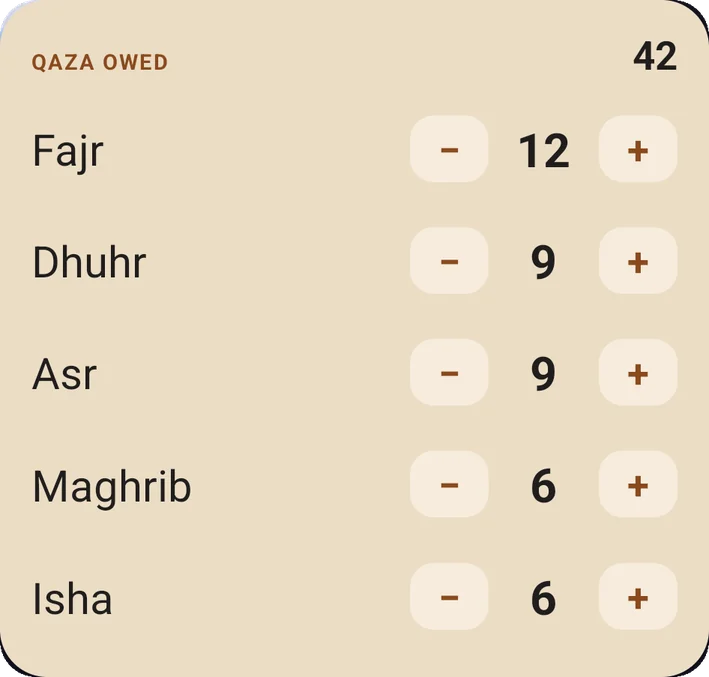
Qaza 4 × 3
How many of each prayer you owe, and the total.
Tap
Tap minus when you make one up, plus if you need to add one. It works with the app closed.
Tap the header to open the Qaza screen.
Good for
Making up missed prayers steadily, one at a time, and watching the number fall.
Keeping an honest count somewhere you will see it daily.
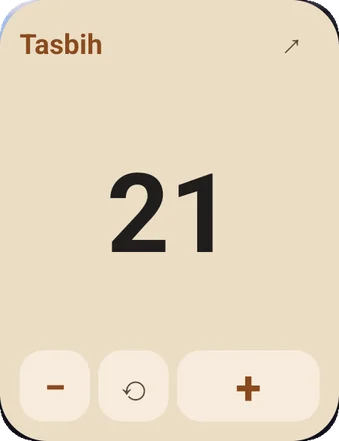
Tasbih 2 × 2
Your current counter: its name, the count, and how many rounds are done. For a sequence, the step you are on.
Tap
Tap the number or plus to count, with a vibration, and a chime at the end of a round.
Tap the name to move to the next counter. Minus and reset are there too.
Good for
Dhikr after prayer, straight from the home screen.
Counting through a sequence, such as the tasbīḥ of Fāṭima al-Zahrāʾ.
Keeping a running count through the day.
On a home screen
Adding one
Touch and hold an empty part of your home screen, then choose Widgets.
Find Shia Ilm and choose a widget.
Tap Add, or drag it where you want it. Touch and hold it later to resize.
The prayer widgets need a city chosen in the app. Everything they show is worked out on the phone and nothing is sent anywhere.